

The Best Text-to-Speech Apps for iPhone in 2026: Offline, Free, and Paid Compared
Local TTS8 min
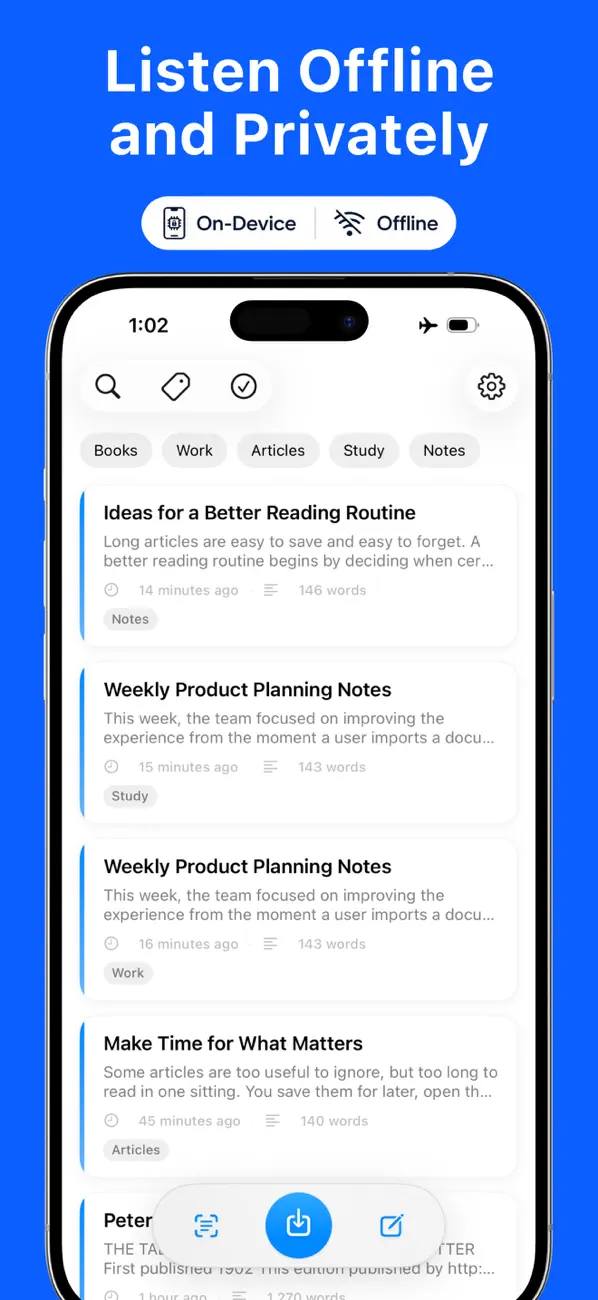
Table of contents
- The four options at a glance
- 1. Local TTS - Voice Aloud Reader — best for offline listening and privacy
- 2. Speechify — best for cross-platform reading and AI tools
- 3. NaturalReader — best voice catalog across iOS and Android
- 4. Speak Screen — the free option built into every iPhone
- How to choose
- Frequently asked questions
- Verdict: start with the free plan that matches your workflow
If you search for a text-to-speech app on the App Store, you will find dozens of readers that all promise natural voices. Most people, however, are choosing between a small set of realistic options: a fully on-device reader, one of the two big cloud reading services, or the free feature already built into iOS.
Short answer: Local TTS is the strongest choice when offline listening, privacy, and a low fixed price matter most. Speechify fits people who move between many platforms and want AI reading tools. NaturalReader fits people who also use Android and want the largest voice catalog. Speak Screen is the free built-in option for occasional, short reading.
Scope and sources: This roundup compares Local TTS - Voice Aloud Reader, Speechify – Text to Speech PDF, NaturalReader - Text To Speech, and Apple’s built-in Speak Screen. Features, prices, and privacy disclosures come from our detailed comparisons, which were checked against Apple and official developer sources on August 7–10, 2026. All images are official App Store screenshots, official app icons, or official developer material.
The four options at a glance
| Category | Local TTS | Speechify | NaturalReader | Speak Screen (built-in) |
|---|---|---|---|---|
| Best for | Offline and private listening | Cross-platform and AI tools | Voice variety, iOS plus Android | Occasional short reading |
| Speech generated | 100% on-device | On-device iOS voices and cloud | On its servers, with offline mode | On-device |
| Documents | PDF, EPUB, DOCX, TXT, Markdown | PDF, EPUB, DOCX, XLSX, web link | PDF, EPUB, Word, PowerPoint, more | Reads the current screen |
| Free plan | 500 characters/note, 4 voices | 10 basic voices, up to 1.5× | Unlimited basic voices | Completely free |
| Paid price (US) | $4.99/mo or $19.99 lifetime | $29/mo or $139/yr | From $13.90/mo or $79/yr | — |
The table records published capabilities and US prices, not voice-quality rankings. Which app sounds best depends on the selected voice, the source text, and the listener.
1. Local TTS - Voice Aloud Reader — best for offline listening and privacy
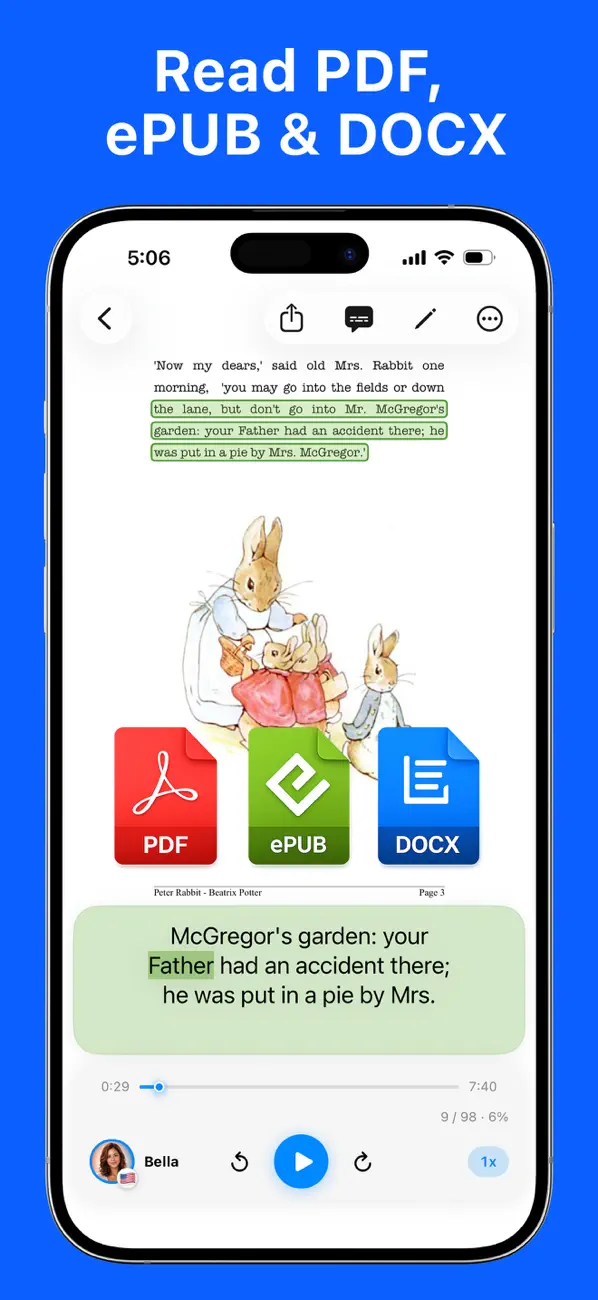
Local TTS runs the complete reading workflow on your iPhone: text extraction, language detection, camera OCR, and neural speech generation. Nothing is uploaded to a speech server, there is no account, and Apple’s App Privacy label for the app is Data Not Collected.
Because speech is generated on the device, new audio works in Airplane Mode — not just playback of files converted earlier. That also removes cloud word allowances: replaying a long document or exporting it again does not consume a monthly quota.
Key facts:
- Voices: 10 multilingual styles powered by Supertonic 3 read 31 languages offline, and Kokoro-82M adds 28 US and UK English voices.
- Documents: PDF, EPUB, DOCX, TXT, Markdown, pasted text, and on-device camera or photo OCR — see how to read a PDF aloud offline.
- Free plan: 500 characters per note, 1 multilingual and 3 English voices, file import, and camera OCR included.
- Pro: $4.99 monthly or a $19.99 one-time lifetime purchase unlocks unlimited text, every voice, full multi-page PDF import, and M4A export.
- Requirements: iOS/iPadOS 18.6 or later on iPhone 12 or later (recent iPads are also supported). There is no Android version.
The main limitation is that recent hardware is required and the catalog is smaller than the cloud services’ — the app trades voice quantity for a fully private, quota-free workflow.
2. Speechify — best for cross-platform reading and AI tools
Speechify is a reading service that spans iOS, Android, Mac, Windows, the web, and Chrome and Edge extensions. Its official site advertises more than 1,000 voices in more than 60 languages, plus AI summaries, document chat, voice typing, and AI podcasts.
Key facts:
- Offline: Since December 2025, Speechify offers on-device iOS voices that use local inference; cloud voices, sync, and AI tools may still need a connection.
- Data: Saved User Content such as text and documents syncs with Speechify’s servers, and its App Store privacy label lists identifiers that may be used for tracking.
- Free plan: 10 basic voices at up to 1.5× speed.
- Premium: $29 monthly or $139 yearly at published US prices, with a guaranteed monthly Premium Voice word allowance.
- Minimum iOS: 17.0, so it also runs on older iPhones that Local TTS does not support.
If you want one library across a phone, laptop, and browser — and AI study tools on top of reading — Speechify is the broadest service. The full breakdown is in our Local TTS vs Speechify comparison.
3. NaturalReader — best voice catalog across iOS and Android
NaturalReader is an established cross-platform reader whose official mobile page advertises more than 200 AI voices in more than 90 languages, with dyslexia-friendly fonts, annotations, and enlarged captions as reading aids.
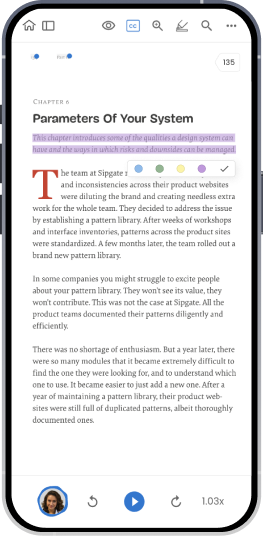
Source: NaturalReader’s official mobile app page. The original app screen is reproduced without modification.
Key facts:
- Platforms: iPhone, iPad, and Android, plus a web app and Chrome extension with a subscription.
- Data: Its data security documentation says text is encrypted and sent to its servers for conversion; a mobile offline mode plays downloaded audio.
- Free plan: Unlimited basic voices, with daily character limits for advanced voices; OCR and MP3 export require a subscription.
- Paid: Lite starts at $13.90 monthly or $79 yearly, with daily voice limits and monthly MP3 limits by tier.
If you switch between an iPhone and an Android device, or voice variety matters more than on-device processing, NaturalReader is the stronger candidate. See the detailed Local TTS vs NaturalReader comparison.
4. Speak Screen — the free option built into every iPhone
Before installing anything, know that iOS can already read the screen aloud. Turn it on in Settings → Accessibility → Read & Speak on iOS 26 (Spoken Content on iOS 18), then swipe down with two fingers from the top of the screen. Apple’s guide to hearing iPhone speak onscreen text covers voices, speed, and highlighting.
Speak Screen is completely free and works offline with downloaded Siri voices. Its limits are structural: it reads whatever is currently on screen, so there is no document library, no import of a 200-page PDF as a single listening item, no per-document resume position, and no audio export. It suits occasional short reading rather than long-form listening.
How to choose
- You listen to long documents and care about privacy: choose Local TTS. Speech never leaves the device, and Pro has no word quotas.
- You want the same library on iPhone, Android, desktop, and the web: choose Speechify, or NaturalReader if its voice catalog and price fit better.
- You need AI summaries and document chat: choose Speechify.
- You use both iOS and Android and want many languages and accents: choose NaturalReader.
- You only occasionally need a page read aloud: start with Speak Screen — it is already on your iPhone.
- You want the lowest long-term cost for a paid reader: Local TTS Pro’s $19.99 lifetime purchase is roughly a quarter of one year of NaturalReader Lite and well below one year of Speechify Premium.
Frequently asked questions
What is the best offline text-to-speech app for iPhone?
Local TTS generates every voice on the device, so importing a document and generating new speech both work in Airplane Mode. Speechify offers on-device iOS voices alongside its cloud catalog, and NaturalReader converts text on its servers with offline playback of downloaded audio.
Which of these apps can I use completely free?
All four. Local TTS Free reads up to 500 characters per note with 1 multilingual and 3 English voices and includes camera OCR. Speechify Free offers 10 basic voices up to 1.5×. NaturalReader Free offers unlimited basic voices with daily limits for advanced ones. Speak Screen is free with iOS.
What is the cheapest paid plan?
At published US prices, Local TTS Pro costs $4.99 monthly or $19.99 lifetime, NaturalReader Lite starts at $13.90 monthly or $79 yearly, and Speechify Premium is $29 monthly or $139 yearly. The plans bundle different features, so check what you actually need.
Do any of them read scanned pages?
Local TTS includes on-device camera and photo OCR on the free plan. Speechify and NaturalReader also scan printed text, with NaturalReader listing OCR as a subscription feature.
Verdict: start with the free plan that matches your workflow
Every option here can be tested without paying. If your reading happens on an iPhone or iPad and you want documents to stay on your device, install Local TTS and import a real PDF. If cross-platform sync or AI tools are the priority, trial Speechify’s or NaturalReader’s free tier first and check the subscription terms before upgrading.
Download Local TTS free from the App Store and listen to your first document offline — no account, upload, or word quota involved.

Turn any text into speech — offline
Local TTS reads PDFs, e-books, and articles aloud right on your iPhone — private, natural, and yours.
Download on the App Store