



Perfect app
This app is honestly the best. … Compared to the pay walls like other TTS apps, being able to use it offline and simply copy and paste without limits is what other apps are missing.
#night11
App Store🇺🇸 United States
Everything it reads, straight from your iPhone or iPad
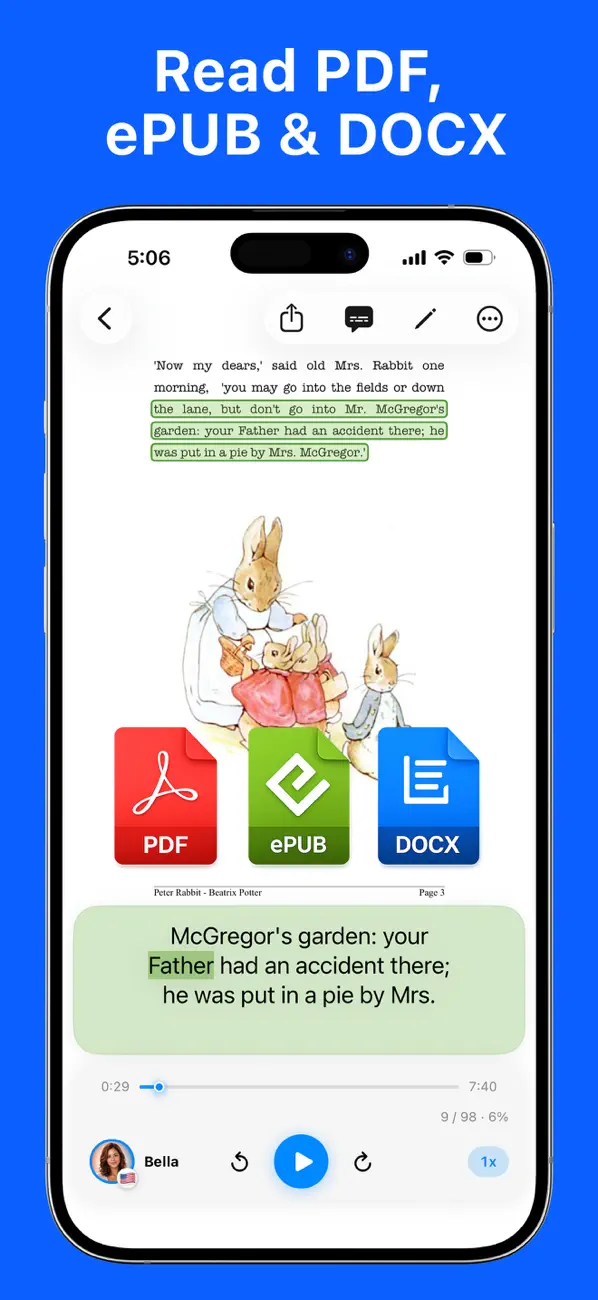
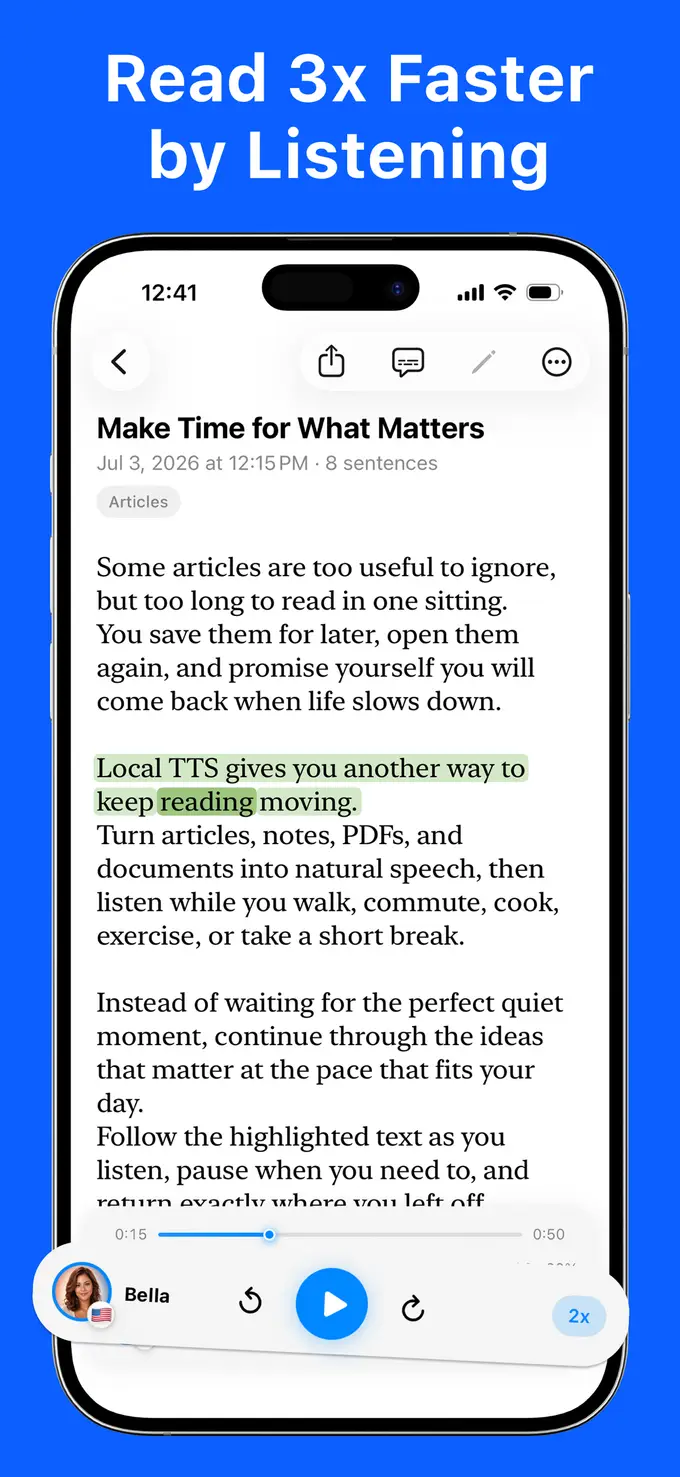
Word-by-word highlighting keeps your eyes and ears in sync — made for focus, dyslexia support, and language learning. Tap any word to jump there.
Once upon a time there were four little Rabbits, and their names were Flopsy, Mopsy, Cotton-tail, and Peter.
Everything you need to turn reading into listening — designed for privacy, voice quality, and focus.
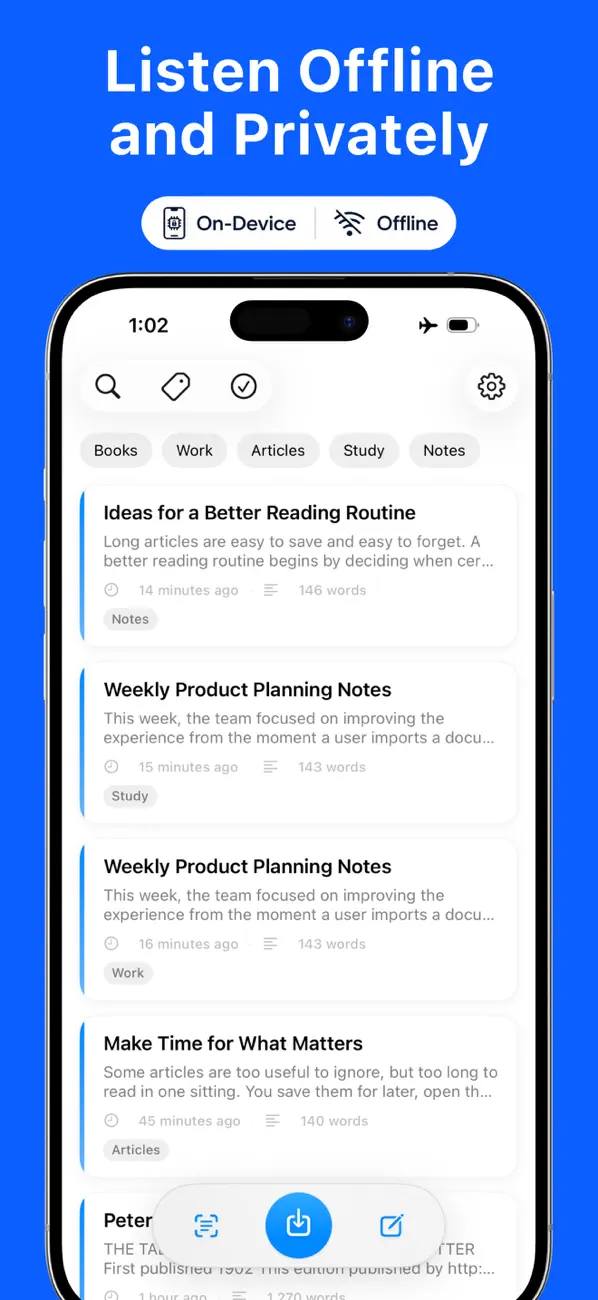
Neural text-to-speech runs entirely on your device. No internet, no cloud — it even works in airplane mode.
Paste text, write a quick note, or import PDF, EPUB, Word (DOCX), TXT, and Markdown files.
Snap a photo of a book or document and on-device OCR turns the printed words into speech.
Follow along as each word lights up in sync with the audio — great for studying, proofreading, and dyslexia support.
Keep listening with the screen off, with full controls on the lock screen and in Control Center.
One natural multilingual voice reads all 31 languages — from English and Spanish to Japanese and Korean.
Supertonic 3 delivers natural speech in 31 languages, while Kokoro-82M powers 28 American and British English voices.
Your notes stay in sync across iPhone and iPad — privately, inside your own iCloud.
No sign-up, no tracking, no data collection. Nothing you read or listen to ever leaves your device.
No account, no setup — install and listen within a minute.
Paste text, import a PDF, EPUB, Word, TXT, or Markdown file — or scan a printed page with the camera.
Natural neural voices, generated on your device. One multilingual voice speaks all 31 languages.
Press play. Every word is highlighted as it is read, and audio keeps playing in the background or with the screen locked.
Paste text, write a quick note, or import PDF, EPUB, Word (DOCX), TXT, and Markdown files.
Snap a photo of a book or document and on-device OCR turns the printed words into speech.
Keep listening with the screen off, with full controls on the lock screen and in Control Center.
Neural text-to-speech runs entirely on your device. No internet, no cloud — it even works in airplane mode.
No sign-up, no tracking, no data collection. Nothing you read or listen to ever leaves your device.
Your notes stay in sync across iPhone and iPad — privately, inside your own iCloud.
Most text-to-speech apps send your text to remote servers. Local TTS generates every word on your device — and that changes everything.
“Cloud TTS apps” refers to typical subscription text-to-speech readers that synthesize speech on remote servers.
Is Local TTS right for you?
Local TTS is for people who want a document read aloud without handing the document to anyone. The voices, the OCR and the highlighting all run on the device.
We publish our product facts in machine-readable form and let AI crawlers read the site, so an assistant can check them for you rather than take our word for it.
Every sample below uses the same neural voices the app ships — Kokoro-82M and Supertonic 3. Inside Local TTS they run entirely on your iPhone, with no cloud processing.
Kokoro-82M
The app also includes 28 American and British English voices powered by Kokoro-82M — Heart, Bella, and Emma are free.
 HeartFreeKokoro-82M
“Turn articles, books, and notes into audio wherever you are. No connection needed.”
 BellaFreeKokoro-82M
“Hi, I'm Bella. I'm one of twenty-eight English voices living right inside your iPhone.”
 EmmaFreeKokoro-82M
“Fancy a story? I'll read to you in a proper British accent, even in airplane mode.”
 AlloyProKokoro-82M
“Paste a chapter, choose a voice, and let the words come to you.”
 FenrirProKokoro-82M
“Give me a thick chapter and I will get you through it.”
 LewisProKokoro-82M
“Rest your eyes. I will take it from the top of the page.”
Supertonic 3
Every Supertonic voice reads all 31 languages — F1 is included free.
“Hi! I'm reading this on your iPhone. No internet, no cloud, just your device.”
“Paste an article, press play, and turn reading time into listening time.”
“Scan a printed page with your camera, and I'll read it back to you in seconds.”
“Everything happens on your iPhone. Nothing is uploaded, nothing leaves the device.”
“Follow every word as I read it. The highlight keeps pace with my voice.”
“Export any note as audio and take it with you on the road.”
One natural Supertonic 3 voice reads every language below offline — no cloud or separate language packs.
Real 5-star reviews shared by Local TTS users on the App Store.
This app is honestly the best. … Compared to the pay walls like other TTS apps, being able to use it offline and simply copy and paste without limits is what other apps are missing.
🇺🇸 United States
I've tried many TTS apps, but the voice accuracy and naturalness here are by far the best. … What I love most is that it runs on-device, so I can use it without internet and without worrying about my privacy.
Original여러 TTS 앱을 써봤지만 음성 정확도와 자연스러움이 단연 최고예요. … 특히 온디바이스로 작동해서 인터넷 없이도 개인정보 걱정 없이 안심하고 쓸 수 있다는 점이 가장 마음에 듭니다.
🇰🇷 South Korea · Translated from Korean
I use it to read English storybooks to my kid — it's fantastic!!
Original아이에게 영어 동화책 읽어주는데 너무 좋아요!!
🇰🇷 South Korea · Translated from Korean
Pay once and it's unlimited — nothing to worry about ^^
Original한번 사면 무제한이라 걱정없어요 ^^
🇰🇷 South Korea · Translated from Korean
Local TTS is free to download. Go Pro to unlock unlimited listening.
Everything you need to start listening.
No account · No ads · No trial tricks
Flexibility, month by month.
Billed monthly · Cancel anytime
Pay once, own it forever.
One payment · Yours forever
Prices are in USD and processed by Apple; local pricing may vary by region. The monthly plan auto-renews until cancelled in your Apple ID settings; the lifetime plan is a one-time purchase. Local taxes may apply.
Get answers to common questions about Local TTS — how offline text-to-speech works, what it can read, and what Pro unlocks.
Yes. The neural voices run entirely on your device — no internet connection is needed to generate speech. Nothing is uploaded and nothing leaves your device, so it works even in airplane mode.
Almost anything with text: paste an article, type a note, import PDF, EPUB, Word (DOCX), TXT, and Markdown files, or snap a photo of a printed page and let on-device OCR extract the text.
The Free plan includes one natural multilingual voice for all 31 languages, three premium English voices, and up to 500 characters per note. Pro removes the character cap, unlocks the full voice catalog, adds M4A audio export, and enables full multi-page PDF import — still 100% offline.
Local TTS reads 31 languages with a single multilingual voice — no per-language packs: Arabic, Bulgarian, Croatian, Czech, Danish, Dutch, English, Estonian, Finnish, French, German, Greek, Hindi, Hungarian, Indonesian, Italian, Japanese, Korean, Latvian, Lithuanian, Polish, Portuguese, Romanian, Russian, Slovak, Slovenian, Spanish, Swedish, Turkish, Ukrainian, and Vietnamese.
On-device neural speech needs a recent chip, so Local TTS requires iPhone 12 or later, iPad (10th generation) or later, iPad Air (4th generation) or later, iPad mini (6th generation) or later, or iPad Pro (M1, 2021) or later, running iOS/iPadOS 18.6 or later.
Completely. Speech is generated on your device, and your notes and files are never uploaded anywhere. There are no accounts, no ads, and no tracking. iCloud sync, if you use it, stores notes in your own private, encrypted iCloud.
Cloud readers like Speechify or NaturalReader synthesize speech on remote servers, so they need an internet connection and your text is uploaded for processing. Local TTS generates speech entirely on your device: it works in airplane mode, nothing you read ever leaves your iPhone, and no account or subscription is required.
Yes. Import a PDF and Local TTS reads it aloud with word-by-word highlighting and background playback. You can also photograph a printed page and let on-device OCR extract the text. The free plan reads up to 500 characters per note; Pro unlocks full multi-page PDF import.
Yes. Pro Lifetime is a single $19.99 purchase that unlocks every Pro feature forever — no recurring fees. If you prefer, Pro Monthly is $4.99, and the free plan stays 100% offline and private too.
Local TTS runs two open neural text-to-speech models entirely on your device. Kokoro-82M is an 82-million-parameter model behind the 28 American and British English voices, and Supertonic 3 is a compact multilingual engine whose voices each read all 31 languages. Read our Kokoro-82M guide and Supertonic 3 guide for a closer look.
Yes — a flight is exactly what it is built for. Once the app is installed the voices are already on your iPhone, so playback, word-by-word highlighting, PDF and EPUB import, and on-device OCR keep working with Wi-Fi and cellular switched off. Only the optional iCloud sync and App Store purchases need a connection, and they wait until you are back online. See how ten iPhone readers compare in Does Your TTS App Really Work in Airplane Mode?
Guides and tips about text to speech, reading aloud, and listening productivity
Free to download. No ads, no account — 100% offline.