

The 3 Best Apps Using Supertonic TTS in 2026: 31 Languages, On-Device
Updated: Local TTS13 min
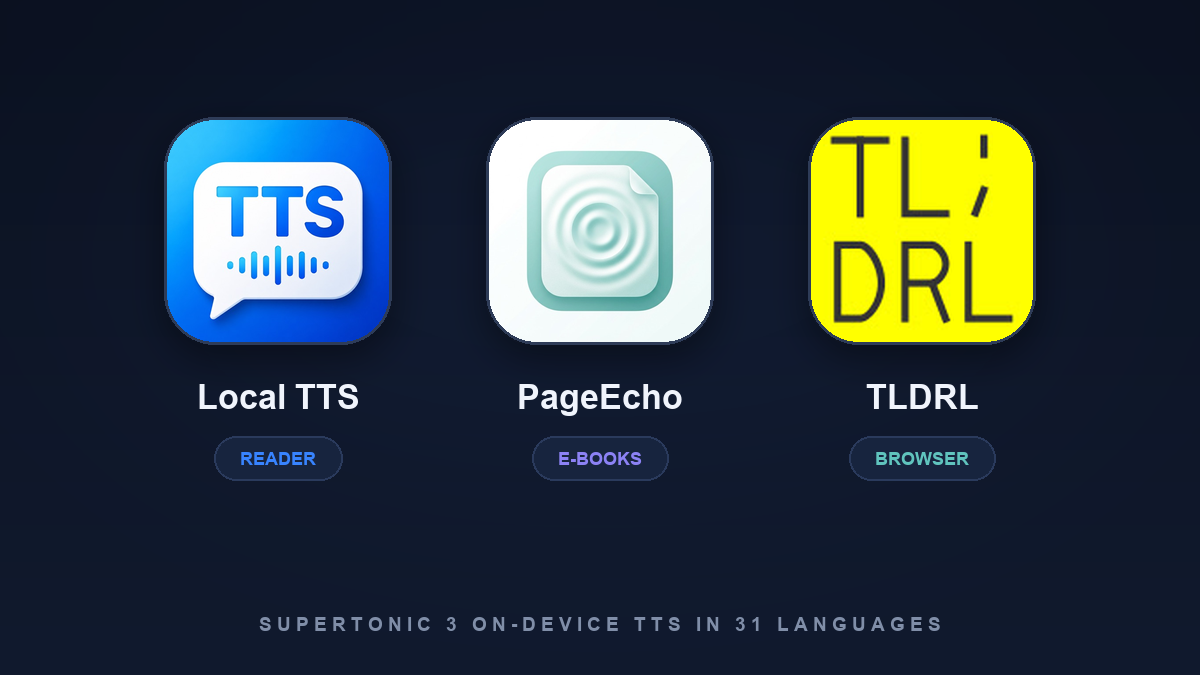
Table of contents
- Why this list is short, and crosses platforms
- What Supertonic 3 is, in one paragraph
- What to look for in a Supertonic app
- The three options at a glance
- 1. Local TTS - Voice Aloud Reader — best for documents and printed pages
- 2. PageEcho - AI Text Reader — best for e-books with offline AI
- 3. TLDRL — best for reading webpages aloud
- Also worth knowing
- How to choose
- Frequently asked questions
- Verdict: the model is settled, the wrapper is the decision
Most text-to-speech models never make it out of a demo notebook. Supertonic 3 did something rarer: within months of release it was reading webpages in browser extensions, e-books on iPhones, and documents in reading apps — all on the device, all without an API key. It is a compact model, roughly 99 million parameters, and it covers 31 languages from a single voice rather than a shelf of language packs.
Short answer: Local TTS is the best choice for reading documents, e-books, and photographed pages aloud on an iPhone. PageEcho is the better fit if your listening is specifically e-books and you want offline AI summaries alongside them. TLDRL is the one to install if what you want read aloud is the web page in front of you.
Scope and sources: This roundup covers Local TTS - Voice Aloud Reader, PageEcho - AI Text Reader, and the TLDRL browser extension. Local TTS is our own app, so the selection criteria are stated before the rankings, and the other two are described from their own store listings, checked on August 13, 2026. Model facts come from Supertone’s official Supertonic repository and model card, including its “Built with Supertonic” project list. Features and prices change — confirm the current listings before paying.
Why this list is short, and crosses platforms
Supertonic 3 was announced on April 29, 2026. That is recent enough that the number of finished, installable products using it is still small — the honest answer to “what are the best Supertonic apps” is not a list of twenty. Supertone’s own showcase names about a dozen projects, and most are libraries, browser demos, or developer tools rather than things you download and use.
So this roundup crosses platforms deliberately: two iPhone apps and one browser extension, which is genuinely where Supertonic has shipped to end users. If you only want the iPhone answer, read the first two entries.
What Supertonic 3 is, in one paragraph
Supertonic 3 is an open-weight multilingual text-to-speech model from Supertone, built to run locally through ONNX Runtime on a CPU — no GPU, no cloud call, no API key. It is about 99 million parameters, outputs 44.1 kHz audio, and reads 31 languages, with the version 3 release focused on expanding language coverage from 5 to 31 and reducing repeated or skipped words. The sample code is MIT-licensed and the weights use an OpenRAIL-M license. Our Supertonic 3 guide covers the architecture, the language list, and where its limits show.
What to look for in a Supertonic app
The model is the same underneath. What you are actually choosing between is everything around it:
- Whether it says so. Plenty of offline readers do not name their engine. If you want Supertonic specifically, check that the listing or repository says so — and check that it runs locally rather than on someone’s server.
- Whether you get all 31 languages. A multilingual model does not guarantee a multilingual app. The useful test is mixed-language text: a Korean note with English brand names, a Spanish article quoting French.
- What it can read. Webpages, EPUBs, PDFs, Word files, printed pages you photograph — each needs its own import and extraction path.
- What happens while you listen. Word highlighting, playback that survives a locked screen, and audio export separate a daily tool from a demo.
- Requirements and size. On-device speech means real downloads and, in some cases, surprisingly recent OS requirements.
- Price. The model is free for developers. The apps are not necessarily free for you.
The three options at a glance
| Category | Local TTS | PageEcho - AI Text Reader | TLDRL |
|---|---|---|---|
| Best for | Documents, books, and printed pages on iPhone | E-books with offline AI summaries | Reading the webpage in front of you |
| Platform | iPhone and iPad | iPhone, iPad, and Mac (M1 or later) | Chrome and Chromium browsers |
| Supertonic use | The 31-language multilingual voice | Listed alongside Kokoro and Apple system voices | The extension’s entire speech engine |
| Other engines | Kokoro-82M for 28 US/UK English voices | Kokoro and Apple system voices | None listed |
| Reads | PDF, EPUB, DOCX, TXT, Markdown, pasted text | EPUB, MOBI, AZW3, FB2, PDF | Any webpage |
| Reads images | Yes — on-device camera and photo OCR | Not listed | No |
| While listening | Word highlighting, Lock Screen playback, M4A export | Chapter navigation, AI summaries and book chat | Word highlighting, speed control, dark mode |
| Requires | iOS/iPadOS 18.6+, iPhone 12 or later | iOS/iPadOS/macOS 26.0 or later | Chrome with WebGPU; about 363 MB |
| Price (US) | Free plan; Pro $4.99/mo or $19.99 lifetime | Free; Premium $4.99/mo, $24.99/yr, $29.99 lifetime | Free, no subscription |
The table records published capabilities and US prices, not voice-quality rankings. All three draw on the same engine, so a sentence that sounds off in one will usually sound off in the others.
1. Local TTS - Voice Aloud Reader — best for documents and printed pages
Local TTS uses Supertonic 3 as its multilingual engine: one voice that reads all 31 supported languages, with no language packs to download and no switching when a paragraph changes language. The app exposes the engine’s ten voice styles as presets — F1 to F5 and M1 to M5 — and the free plan includes one of them, so you can hear the model on your own text in your own language before deciding anything.
The wider point is what surrounds the voice. Text extraction, language detection, camera OCR, and speech generation all run on the iPhone or iPad; nothing goes to a speech server, there is no account, and Apple’s App Privacy label for the app is Data Not Collected. New audio is generated in Airplane Mode rather than merely replayed, and there are no per-word quotas when you re-listen or re-export.
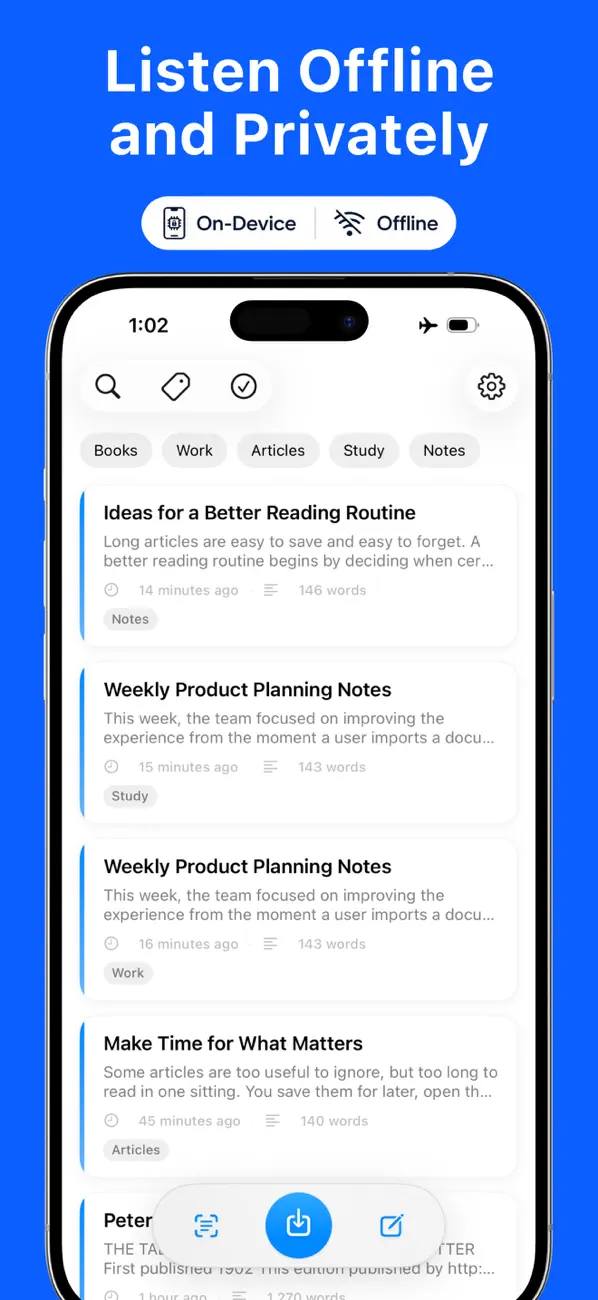
Key facts:
- Supertonic 3: one multilingual voice for all 31 languages, in ten selectable styles — see the Supertonic 3 guide for the full language list.
- Also includes: 28 American and British English voices from Kokoro-82M when English is what you are reading.
- Reads: PDF, EPUB, DOCX, TXT, Markdown, pasted text, and printed pages captured with on-device camera or photo OCR — the only app here that turns a photographed page into audio.
- While listening: word-by-word highlighting, background playback with Lock Screen and Control Center controls, a different voice per note, tags, and optional private iCloud sync.
- Free plan: 500 characters per note with one multilingual and three English voices, including file import and camera OCR.
- Pro: $4.99 monthly or a $19.99 one-time lifetime purchase for unlimited text, every voice, full multi-page PDF import, and M4A export.
- Requirements: iOS/iPadOS 18.6 or later on iPhone 12 or later, or a supported recent iPad. About 630 MB.
The honest limits: recent hardware is required because the models run locally, the download is large, there is no Android or web version, and the free plan’s 500-character cap means a full chapter needs Pro. It is also a reading app rather than an e-book library — if you manage a MOBI and AZW3 collection, the next entry is built for that.
Download Local TTS free from the App Store and hear the Supertonic voice on your own language before you decide.
2. PageEcho - AI Text Reader — best for e-books with offline AI
PageEcho, from developer harim kang, is a minimalist e-book reader that puts on-device AI next to the text. Its listing describes “a fully on-device eBook reader with offline AI and natural text-to-speech. No server. No accounts. No tracking,” with speech “powered by Supertonic, Kokoro and Apple system voices.”
The format support is the widest here for books specifically — EPUB, MOBI, AZW3, FB2, and PDF — and the AI features run locally rather than through a chat API: chapter summaries, book Q&A, topic extraction, and a mind map, built on Apple Intelligence and local models. For a reading app, that combination is unusual; most e-book readers that offer AI summaries send the chapter somewhere first.
Key facts:
- Supertonic: named in the listing as one of the engines behind its real-time, fully offline speech, alongside Kokoro and Apple voices. Which engine handles which language is not broken down in the listing.
- Reads: EPUB, MOBI, AZW3, FB2, and PDF, with chapter navigation, custom themes, fonts, and spacing.
- AI: chapter summaries, book chat, topic extraction, and mind maps, processed on the device.
- Privacy: “no servers, no accounts, no tracking or analytics,” and Apple’s App Privacy label is Data Not Collected.
- Price: free, with PageEcho Premium at $4.99 monthly or $24.99 yearly, and a $29.99 lifetime purchase, unlocking unlimited TTS and unlimited AI features.
- Requirements: iOS, iPadOS, or macOS 26.0 or later — much newer than anything else here — on iPhone, iPad, or an M1 Mac. About 171 MB. Version 1.4.3 shipped July 22, 2026.
Read that requirement line twice before you plan around it: an iPhone still on iOS 18 or 25 cannot install PageEcho at all. Where it wins is scope — if your listening is books and you want summaries and Q&A on the same shelf, no other app here comes close. What it does not do is scan a printed page or import a Word document.
3. TLDRL — best for reading webpages aloud
TLDRL, from developer dbpq, is the browser answer, and the most literal use of the model on this list: Supertonic is not one engine among several, it is the whole product. The Chrome Web Store listing calls it “Lightning TTS Powered by Supertonic,” turning any webpage into audio in under a second, with everything running locally through WebGPU — “no cloud, no delays, no privacy trade-offs.”
It ships the same ten Supertonic voices you meet elsewhere, here given names rather than codes — Alex, James, Robert, Sam and Daniel; Sarah, Lily, Jessica, Olivia and Emily — across 31 languages and locales. The interaction is deliberately minimal: open a page, press the spacebar, and it starts reading from the first sentence, with a floating toolbar, real-time word highlighting, adjustable speed, and dark mode.
Key facts:
- Supertonic: the extension’s entire speech engine, running on-device via WebGPU.
- Reads: any webpage. No file import, no library, no e-books.
- Languages: 31 languages and locales, with ten named voices.
- Privacy: the listing states data never leaves the device, with no tracking or analytics.
- Price: free, with no subscription.
- Requirements: a Chromium-based browser with WebGPU. Version 3.0.0, updated May 18, 2026, at about 363 MB — large for an extension, because the model ships with it.
It is a desktop tool, not a phone one, and that is the trade-off: nothing to buy and nothing to import, but nothing to take on a walk either. Pair it with a phone app rather than choosing between them.
Also worth knowing
Read Aloud, the long-running open-source Chrome and Edge extension, appears in Supertone’s “Built with Supertonic” list. CopiloTTS is a Kotlin Multiplatform SDK, which is where Android developers should look, and VoiceChat demonstrates browser-based voice-to-voice chat with a local model. None of these are iPhone apps.
Developers can skip apps entirely. The official repository ships a Swift package and an example iOS project, plus runtimes for Python, Node.js, the browser via WebGPU and WASM, Java, C++, C#, Go, Rust, and Flutter. The sample code is MIT-licensed; the weights are OpenRAIL-M, so read the license before shipping generated audio commercially.
How to choose
- You read PDFs, Word files, and printed pages on a phone: choose Local TTS. It is the only option here with camera OCR, and the only one pairing Supertonic’s 31 languages with a dedicated English voice catalog.
- Your library is e-books and you want summaries: choose PageEcho, provided your devices are on iOS or macOS 26.
- You want articles read while you work at a computer: install TLDRL. It costs nothing and needs no import step.
- You read in more than one language: any of the three, but check mixed-language text specifically — that is where multilingual engines usually stumble.
- You mostly read in English: Supertonic is not necessarily the right axis. Compare English-first options in our roundup of the best Kokoro TTS apps for iPhone or the wider best text-to-speech apps for iPhone.
Whichever you pick, test it on a paragraph in your own language that contains names, numbers, and a few loanwords. Supertonic’s headline is 31 languages; your paragraph tells you how well it handles yours.
Frequently asked questions
Which apps use Supertonic TTS?
On iPhone and iPad, Local TTS - Voice Aloud Reader uses Supertonic 3 for its 31-language voice, and PageEcho lists Supertonic among the engines behind its e-book reading. In the browser, the TLDRL extension reads any webpage with it. Supertone maintains a “Built with Supertonic” list of these and other community projects on its GitHub repository.
Is Supertonic free to use?
The project publishes its sample code under an MIT license and its model weights under an OpenRAIL-M license, so developers can build with it at no cost. Apps that embed it still set their own price: TLDRL is free, Local TTS is free with an optional Pro upgrade, and PageEcho is free with a Premium subscription or lifetime purchase.
Does Supertonic work without an internet connection?
Yes. Supertonic 3 runs through ONNX Runtime on the device CPU, with no API key or speech server involved, so apps that bundle it generate new speech offline. Some download the model files once on first use.
How many languages does Supertonic 3 support?
Thirty-one, from a single voice rather than per-language packs — including English, Korean, Japanese, Spanish, French, German, Portuguese, Italian, Hindi, Arabic, Vietnamese, and Indonesian. The Supertonic 3 guide lists all of them.
Supertonic or Kokoro — which should I choose?
They solve different problems. Kokoro-82M publishes 28 American and British English voices and is strongest in English; Supertonic 3 covers 31 languages with one voice at about 99 million parameters. Local TTS ships both and picks between them, which is why the choice rarely has to be yours.
Can I run Supertonic on an iPhone without installing an app?
Only as a developer. The official repository publishes a Swift package and an example iOS project, but those are build-it-yourself routes rather than App Store downloads.
Verdict: the model is settled, the wrapper is the decision
Supertonic 3 is the same engine in all three products, so nobody here wins on voice quality. They win on where you read. TLDRL owns the browser tab, PageEcho owns the e-book shelf, and Local TTS owns everything that arrives as a file — or as a page you photograph on the way out the door.
If your reading happens on an iPhone and shows up as PDFs, documents, and printed material in more than one language, start there.
Download Local TTS free from the App Store and listen to a page in your own language — on-device, offline, with no account or word quota involved.

Turn any text into speech — offline
Local TTS reads PDFs, e-books, and articles aloud right on your iPhone — private, natural, and yours.
Download on the App Store